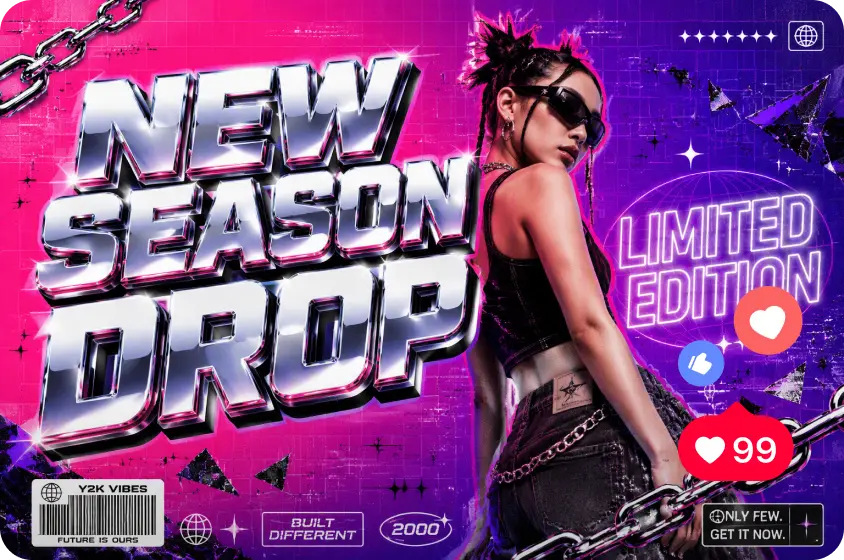
A static poster has a hard job on social media — it’s competing against an endless stream of motion in every feed, and a still image, no matter how well-designed, often gets scrolled past faster than something that moves.
Rather than redesigning an entire campaign from scratch for video, photo to video AI offers a shortcut: take an existing poster and animate it directly, adding motion to elements that were always there without starting a new creative process.
Dreamina’s video tools, built on the Seedance 2.5 model, are designed for exactly this kind of transformation, turning a flat advertising poster into a short clip that holds attention in a scrolling feed.
Identifying which poster elements are worth animating
Not every part of a poster needs to move, and trying to animate everything at once usually looks chaotic. Strong candidates for subtle motion include:
- A product shot that can rotate or tilt slightly
- Background elements like light, texture, or gradient shifts
- Headline text that can pulse, fade in, or slide into place
- Decorative elements like confetti, sparkles, or seasonal motifs
Keeping the core message legible throughout the motion
An animated poster still needs to communicate its offer clearly, even while things move. Keeping the key text — the offer, the discount, the call to action — relatively stable while motion happens around it ensures the message doesn’t get lost in the animation itself.
Deciding on pacing based on where the ad will run
A promotional video’s pacing should match its placement:
- Feed or story ads: quick, attention-grabbing motion within the first couple of seconds
- Website banner placements: slower, more ambient movement that doesn’t distract from browsing
- Pre-roll or bumper ad slots: motion that builds toward a clear closing moment with the offer
Using motion to reinforce urgency
For time-sensitive promotions, pacing itself can communicate urgency. A countdown-style pulse on a discount percentage, or a quick flash of light across a “limited time” label, reinforces the message visually in a way a static poster never could on its own.
Producing the promotional video with Dreamina
Step 1: Upload reference image and write corresponding prompt
Visit Dreamina, sign in, and head to the “AI Video” section. Click “Add reference image” to upload your existing poster, then write a prompt describing exactly what should move and how.
For a 30-second promotional video, try: a soft white winter sale poster with a product shot centered and large sale-percentage text, the background gently shifting between warm pastel tones, the product slowly rotating to catch the light, the sale text gently pulsing into sharper focus every few seconds, upbeat and energetic pacing.
Reference the specific layout, product position, and text from the uploaded poster so the motion stays true to the original design.
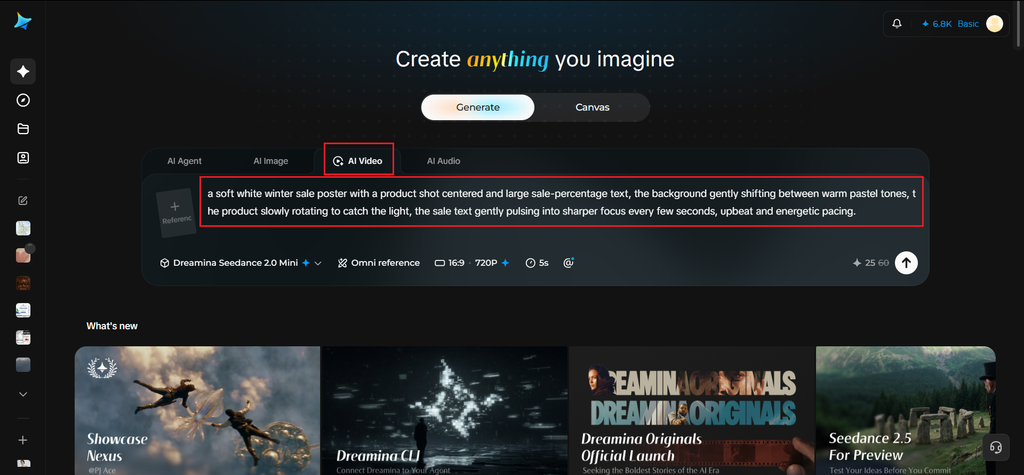
Step 2: Generate your video
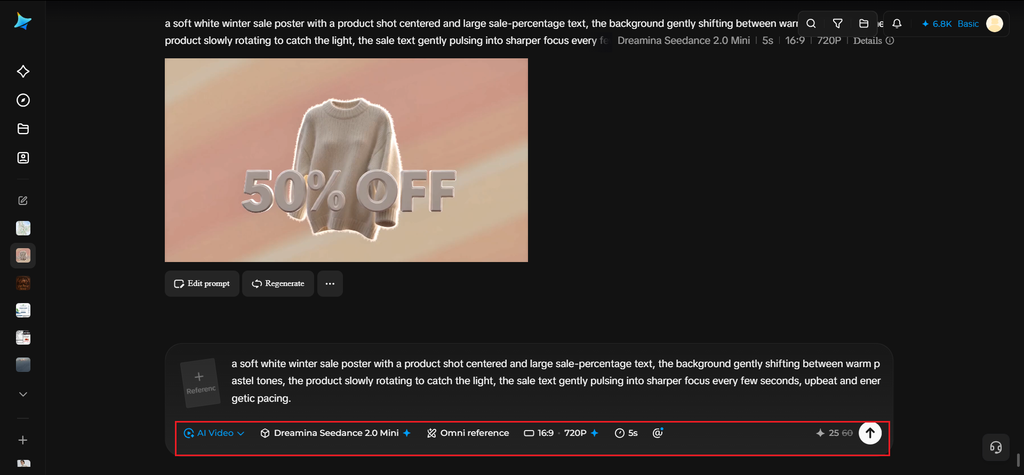
After adding your poster image and prompt, choose the Seedance 2.5 model for generation. Select your video length, then pick an aspect ratio suited to where the video will run — 16:9 for website or YouTube placements, 9:16 for TikTok, Stories, or Reels. Click Dreamina’s icon and wait a few seconds for processing.
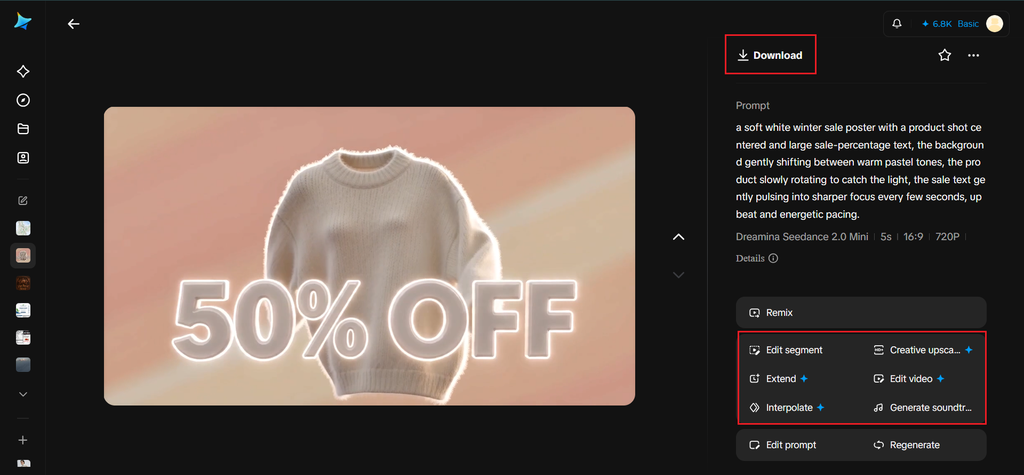
Step 3: Enhance & export the video
Use Dreamina’s AI editing tools to finish the clip before saving. Apply Upscale for a crisper, higher-resolution version if it’s running somewhere large like a website hero banner, or use Generate soundtrack to add upbeat background audio that matches the promotional energy. Once it’s ready, export and share it across your ad platforms.
Seedance 2.5’s strengths for promotional motion
Promotional video content needs motion that feels energetic without becoming distracting, and Seedance 2.5 handles that balance well. It’s particularly good at interpreting layered instructions — background shifting one way, a product rotating another, text pulsing on its own rhythm — and keeping all of that motion readable rather than overwhelming.
It also preserves text clarity reasonably well throughout generated motion, which matters enormously for promotional content where the offer itself has to stay legible no matter what’s moving around it.
Testing multiple pacing versions before launch
Since the same poster can be animated at different speeds and intensities, it’s worth generating a couple of pacing variations — one punchier, one calmer — and testing which performs better for the specific platform and audience before committing ad spend to a single version.
Maintaining brand consistency across poster-to-video conversions
As more posters get converted into video over time, keeping the same motion style — similar pacing, similar types of movement, similar use of light — across the whole set builds a recognizable video identity, rather than each promotional video feeling like a completely separate creative decision.
Common mistakes when animating existing posters
- Adding motion to every single element at once
- Letting animated text become hard to read mid-movement
- Using pacing too slow for a fast-scrolling platform like social feeds
- Losing the original poster’s color accuracy during the conversion
Wrapping up
Turning an existing poster into a short promotional video doesn’t require abandoning creative work that already proved itself. With a clear sense of which elements deserve motion and which should stay anchored, and Dreamina’s Seedance 2.5 model handling the animation itself, a single static ad can get a genuine second life in every feed that now expects video first.