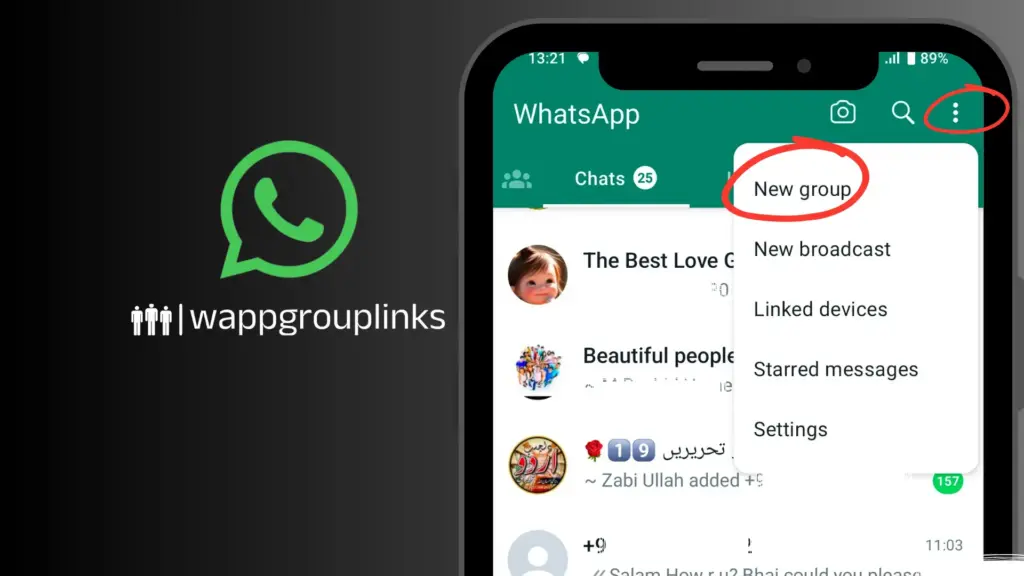
WhatsApp group links serve as an easy and efficient way to invite people to join a group without having to manually add each person. By simply sharing a link, anyone with access to it can join the group. However, this convenience comes with potential security risks. Managing group membership securely is essential to prevent unauthorized access and ensure that only the intended participants are part of the conversation. Properly controlling who joins your group helps maintain privacy and keeps the group experience positive for all members. Understanding WhatsApp group link settings and security features is crucial for group admins to ensure a safe and well-managed community.
How WhatsApp Group Links Work
Creating and sharing a WhatsApp group link is a simple process that allows group admins to invite members without manually adding them. To make a WhatsApp group link, the admin needs to open the group chat, tap on the group name, and select “Invite via link.” Once the link is generated, it can be copied, shared directly, or even sent through other platforms like email or social media.
The link can be shared with anyone, and once clicked, users will be directed to join the group. Once the link is shared, anyone with the link can potentially join unless the group settings are configured to restrict access.
For better control, WhatsApp allows admins to revoke the link at any time, preventing further access for those who don’t have the updated link.
Can anyone join my WhatsApp group using the link?
When you share a WhatsApp group link, anyone with the link can join the group by default. However, the group admin can control the membership through the group’s settings, which help determine who can enter and how the link is used.
WhatsApp groups can be categorized into open or closed groups:
- Open Groups: In an open group, anyone with the invite link can join without any restrictions. The admin has no control over who accesses the link once it is shared.
- Closed Groups: While the link can still be shared, closed groups offer admins more control over who can join. For example, admins can approve requests to join, ensuring only invited or trusted individuals can enter the group. This setting provides greater security compared to open groups.
Admins must understand these settings to maintain privacy and security within the group. If a group is too open, unwanted members may join, which could compromise its purpose.
WhatsApp Group Link Permissions: What You Need to Know
As a WhatsApp group admin, you have significant control over who can join your group and how members are invited. Admin permissions allow you to manage group membership, restrict access, and ensure that the group remains secure and relevant for its intended members. Below is an overview of the options available to admins:
WhatsApp Group Admin Control
Group admins can control who joins the group by adjusting the group’s settings. This includes creating an invite-only environment or requiring admin approval for anyone trying to enter. Admins can also remove members, change group settings, and control who can edit group details, making it easier to maintain a structured group environment.
Invite-Only Groups
Admins can set up invite-only groups, which means that individuals can only join if an admin personally invites them. In this case, the group link can be shared privately, ensuring that only invited members gain access. This method minimizes the risk of unwanted members joining via a shared link.
Admin Approval for New Members
WhatsApp offers a feature that allows group admins to approve new members before they can join the group. Even if someone has the link, they will need the admin’s approval to enter. This ensures that only trusted individuals are added to the group, providing an extra layer of security for sensitive groups.
By using these features, WhatsApp group admins can maintain control over group membership and ensure that only those who belong to the group are granted access.
Can Group Members Share the Link with Others?
In WhatsApp groups, current group members can share the group link with others. This means that, depending on the group’s settings, anyone who receives the link can potentially join the group. While this feature can be convenient, it also has security implications that group admins should be aware of to maintain a safe environment for members.
Impact of Sharing the WhatsApp Group Link on Security
When group members share the WhatsApp group link, it increases the risk of unauthorized individuals joining the group. If the group needs to be configured with admin approval or invite-only settings, anyone with the link can join, regardless of whether they are intended participants. This can lead to:
- Unwanted members: Anyone outside the trusted circle can join the group, which could be disruptive, especially in professional or private groups.
- Group spam: In open groups, sharing the link widely can attract spammers or unwanted promotional content.
- Data privacy risks: Unauthorized access to sensitive or private groups could lead to privacy violations and the exposure of personal or confidential information.
Best Practices for Managing WhatsApp Group Link Distribution
To enhance WhatsApp group security, follow these best practices when distributing the group link:
- Limit Link Sharing: Only allow trusted members to share the link. Consider restricting this ability by regularly monitoring and updating group settings.
- Use Invite-Only Groups: If the group contains sensitive information or a specific audience, set it to invite-only mode. This ensures that only admins can invite new members and share the link.
- Revoke and Regenerate the Link: Regularly change the group invite link, especially if it has been shared too widely or if members leave the group. This will invalidate any previously shared links.
- Admin Approval: Enable admin approval for anyone trying to join via the link. This extra layer of control ensures that only the right people gain access to the group.
- Educate Members: Inform group members about the importance of not sharing the link indiscriminately. They should understand the potential risks associated with sharing the link with people outside the intended audience.
By carefully managing the distribution of the WhatsApp group link and using the available security features, you can protect your group from unauthorized access and maintain a secure environment.
How to Secure Your WhatsApp Group from Unwanted Joiners
Securing your WhatsApp group is crucial to ensuring that only trusted members have access to it, preventing unauthorized access, and protecting the group’s privacy. Below are some essential WhatsApp group security tips to help you maintain control over who joins and participates in your group.
Set Group to Invite-Only
To prevent unauthorized users from joining your group via a shared link, set it to invite-only. Only group admins can share the link or directly add members, ensuring that no one can join without approval.
- To set it up, Go to your group, tap on the group name, select “Invite to Group via Link,” and then make sure the link is shared only with trusted individuals.
Use the “Approval to Join” Feature
One of the best ways to prevent unauthorized access is by enabling admin approval for anyone joining the group. Even if someone has the invite link, they won’t be able to participate without the admin’s approval.
- How to enable admin approval:
- Open your WhatsApp group.
- Tap on the group name to go to Group Info.
- Select Group Settings > Permissions.
- Under the “Send Messages” option, select Only Admins and ensure that Admin Approval is activated before adding members.
This feature adds an extra layer of security, allowing admins to screen requests and decide who can join the group.
Regularly Change the Group Invite Link
If you believe that the invite link has been shared too widely or to unauthorized people, you can easily revoke and regenerate the link. This ensures that only those with the updated link can join the group.
- How to regenerate the link:
- Open the group chat and tap on the group name.
- Select Invite to Group via Link.
- Tap the Revoke Link to disable the current one and generate a new invite link.
Set Group Permissions for Extra Control
You can manage who can edit the group info and send messages, adding further layers of control over the group dynamics. For example, you can restrict members from changing the group description or adding new participants.
- How to set permissions:
- Go to Group Info and select Group Settings.
- Under Edit Group Info, choose Only Admins to prevent members from making changes.
- Under Send Messages, choose Only Admins to limit who can send messages.
Educate Group Members on Link Sharing
Make sure your group members understand the risks of sharing the invite link too widely. They should only share the link with trusted individuals and be aware of the importance of keeping the group secure.
Remove Unwanted Members
If someone joins your group without approval or you find that someone is not a good fit, remove them immediately. Group admins can easily remove members by tapping on their name in the group and selecting “Remove from Group.”
What Happens When Someone Joins Through the Link?
When someone joins a WhatsApp group via the invite link, group admins and members typically receive a notification indicating that a new participant has joined. This is an automatic feature to keep everyone informed of new group members, especially if they enter through a shared link. The notification will display the name of the new member and the method by which they joined the group (via the link).
Notifications When Someone Joins via the Link
- For Admins: Group admins receive a notification whenever a new member joins, whether they come through an invite link or are added manually. The notification shows the member’s name and states that they joined via the link. This feature helps admins stay aware of group activity.
- For Group Members: In some cases, all members might also receive a notification when a new person joins the group. However, this can depend on the group’s notification settings, whether it’s a large group, and whether the notification preferences have been customized.
What Admins Can Do When Someone Joins Unexpectedly
When someone joins a WhatsApp group via the invite link, group admins and members typically receive a notification indicating that a new participant has joined. This is an automatic feature to keep everyone informed of new group members, especially if they enter through a shared link. The notification will display the name of the new member and the method by which they joined the group (via the link).
Notifications When Someone Joins via the Link
- For Admins: Group admins receive a notification whenever a new member joins, whether they come through an invite link or are added manually. The notification shows the member’s name and states that they joined via the link. This feature helps admins stay aware of group activity.
- For Group Members: In some cases, all members might also receive a notification when a new person joins the group. However, this can depend on the group’s notification settings, whether it’s a large group, and whether the notification preferences have been customized.
What Admins Can Do When Someone Joins Unexpectedly
If a group member joins unexpectedly, primarily because they were not intended to be part of the group, the admin has several options to manage the situation effectively:
- Remove the New Member If someone joins without proper authorization, the admin can remove them from the group immediately. To do this:
- Tap on the new member’s name in the group chat.
- Select “Remove from Group” to prevent them from continuing to participate in the conversation.
- Revoke the Invite Link If the link has been shared too widely or inappropriately, admins can revoke and regenerate the invite link. This prevents further unauthorized individuals from joining:
- Go to the group chat, tap on the group name, select Invite to Group via Link, and then tap Revoke Link.
- Enable Admin Approval For extra control; admins can enable the admin approval feature for new members joining via the link. This ensures that every new join request is reviewed before being accepted. Admins can approve or deny the request based on who they want in the group.
- Change Group Settings Admins can adjust group settings to make the group more secure, such as changing the permissions so that only admins can add new members or send messages.
Alternatives to WhatsApp Group Links for Added Security
Several WhatsApp group alternatives allow admins to add members securely without sharing links. These methods enable admins to maintain control over group membership, enhance WhatsApp group security, and prevent unauthorized access.
One of the most straightforward ways to add members to a WhatsApp group without sharing a link is through direct invitations. Admins can manually add participants by selecting their contacts from the WhatsApp directory. This method ensures that only people from the admin’s contact list are added, making it more secure. To do this, the admin simply needs to open the group chat, go to Group Info, tap Add Participants, and then choose contacts to add. This method does not require sharing a link, ensuring that group membership is limited to trusted individuals.
Another way to secure group membership is by setting the group so that only admins can add new members. This admin-only invitation feature prevents regular group members from sharing the invite link or adding others. To enable this, the admin can go to Group Info, select Group Settings, and then choose Edit Group Info to restrict it to “Only Admins.” This setting ensures that the group remains private and secure, with admins being the only ones authorized to add new participants.
For larger groups, admins can use Broadcast Lists, which allow them to send messages to multiple contacts simultaneously without adding them to the group. This method is ideal for mass communication, but it requires the interactivity that groups provide. Using a broadcast list ensures that recipients receive important updates without compromising the group’s membership integrity.
For highly secure groups, some admins prefer to personally invite individuals through a message rather than relying on group invites or links. This method ensures that each individual is added based on personal interaction and approval. Admins can send an individual invitation via WhatsApp message or other secure methods, ensuring that all new members are vetted before being added to the group.
Lastly, admins can share the group details (such as the group name, description, and purpose) directly with potential members and request that they express interest in joining. If someone expresses interest, the admin can review the request and manually add them to the group. This method provides an additional layer of control and can be particularly useful for groups that require a more selective membership process.
Conclusion
Managing WhatsApp group links and access is crucial to ensuring that your group remains secure and that only trusted individuals join it. By understanding the various options for adding members—whether through direct invitations, admin-only settings, or broadcast lists—admins can maintain control over group membership. Additionally, using the proper WhatsApp group settings (such as restricting who can add members) and revoking invite links when necessary helps safeguard the group from unauthorized access.
To further enhance WhatsApp group management, it’s essential to consistently apply security measures, such as enabling approval to join, using personalized invites, and regularly monitoring the group’s member list. By following these best practices, you can create and maintain secure WhatsApp groups that provide a safe space for communication.
Remember, effective management and security go hand in hand. Don’t hesitate to take proactive steps to protect your group. Use the available tools and settings to control who can join and participate.